


Give them another chance!
Old photographs are, in most cases, family treasures that carry fragments of personal history. Many have endured harsh conditions: stuck and peeled, burned or stained, worn out in wallets, or forgotten in damp drawers. With FotoFixer, these unique vintage photos get a second life through professional restoration and colorization. Once restored, they can be printed, framed, or digitally stored, ensuring they will never deteriorate again.
PROFESSIONAL PHOTO RESTORATION
or “repairing” an old photograph
What FotoFixer does
The goal of photo restoration is to bring the photograph as close as possible to its original printed state. To achieve this, FotoFixer saves as much as possible from the original image, repairing it using existing elements and cloning techniques for missing parts.
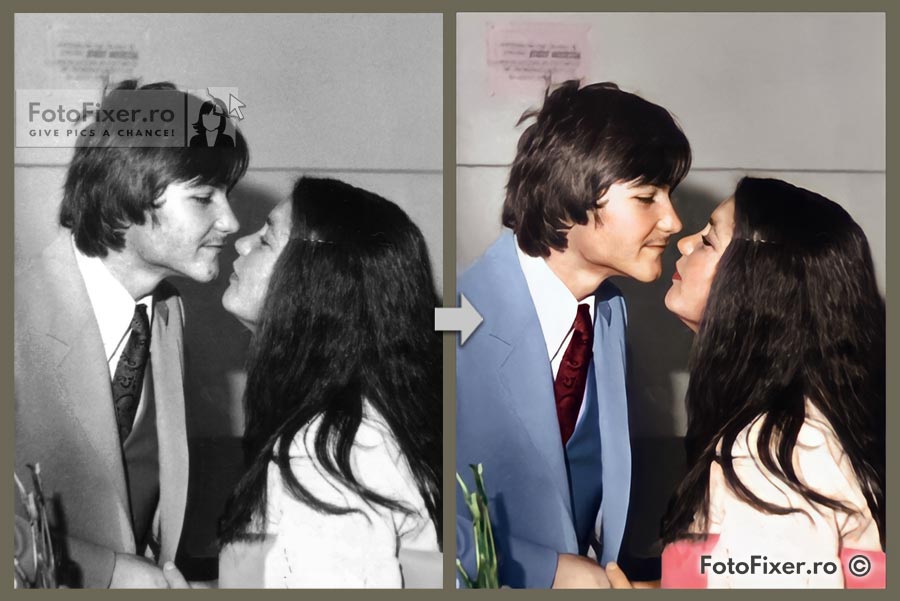
Optionally, after the old photo restoration process, FotoFixer can perform photo colorization and even photo animation, using AI.

What FotoFixer does NOT do:
FotoFixer does not add romantic backgrounds, hearts, stars, sunsets, or glitter.
We do not add foreign elements to old photos. FotoFixer values authenticity and avoids altering the original essence. Exceptions include reconstruction work requiring multiple source images and photo manipulations for entertainment purposes.
We do not edit funeral photography (details coming soon).
Photo restoration examples from the FotoFixer portfolio:


How our services work for
PROFESSIONAL PHOTO RESTORATION
How to send your photos for repair:
Scanned and uploaded
via the contact form. To perform professional photo restoration, FotoFixer needs the damaged photos in digital format. This means the photos must be scanned.
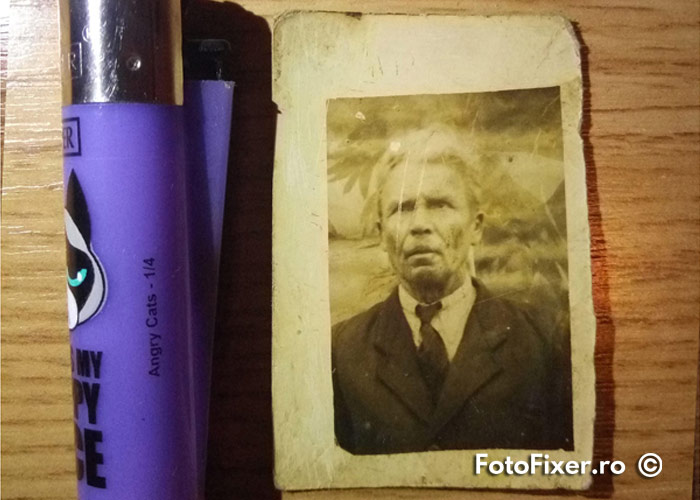
Using a high-quality scanner, perform a “photo” scan (not “document”) at 1200 DPI (recommended) or at least 600 DPI. Then send them to FotoFixer via the upload form (see the scanning guide).
You can also send photos taken with your phone, but the final result may be of lower quality. We have a small guide here on how to get the best results in scanning old photos using your phone.
NOT SURE YET?
STEP 1.
Scan your photo at 1200 DPI
Photos must be scanned to be processed! Before anything else, even for a price quote, FotoFixer needs to see the condition of the photos to determine the scope of work. There is no fixed price per photo, as every project is unique.
SCANNING IS THE FIRST AND MOST IMPORTANT PART OF PHOTO RESTORATION! And it is entirely the client’s responsibility. Whether you choose FotoFixer or not, it’s always a good idea to scan your photos to prevent further damage.
Therefore, use a “photo” scan setting at 1200 DPI, or at least 600 DPI. You might find our scanner guide or mobile scanning guide useful if you don’t have a dedicated scanner.
If you intend to frame the final result, we recommend visiting a specialized photo center for a professional 1200 DPI scan.
STEP 2.
Contact FotoFixer for a price quote
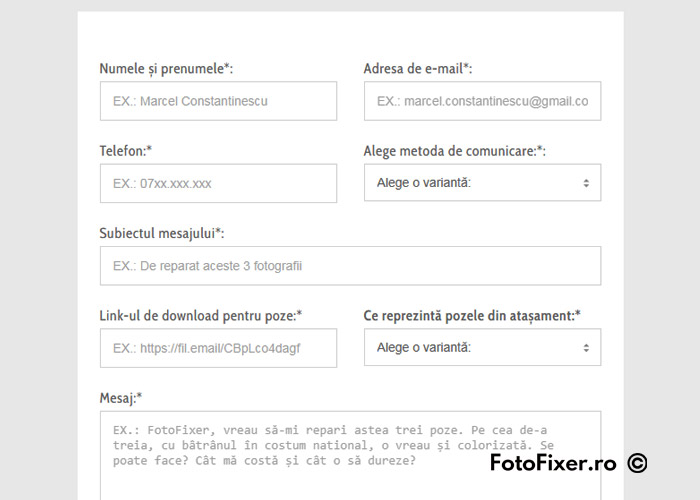
Get in touch via the contact form. Attach the link with the photos from the previous step and specify what you need for each: restoration, colorization, or digitalization (scan only). Don’t forget to mention the names of the files if you are sending multiple photos.
In the contact form, choose your preferred method of communication: WhatsApp or email (contact@fotofixer.ro).
Why written only? FotoFixer aims for maximum efficiency and clarity. Having a written record helps avoid confusion and misunderstandings. Phone calls should remain the exception.
FotoFixer will respond with a quote (also in writing), detailing what can be achieved, the timeline, and the cost of the professional restoration services.
STEP 3.
Receive a preview of the restored photos
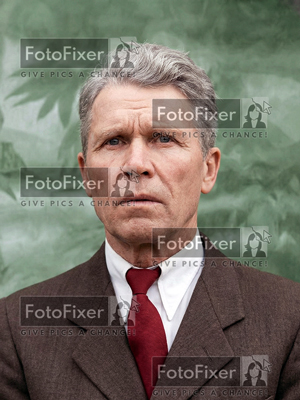
Before making an online payment (card or wire transfer), FotoFixer will show you the repaired images protected by a watermark, so you can see the result. This eliminates any potential dissatisfaction or unpleasant surprises.
If you are not satisfied with the result, FotoFixer will either continue working on them, or you don’t have to pay. It doesn’t get more honest than this!
STEP 4.
Make the payment and download your photos
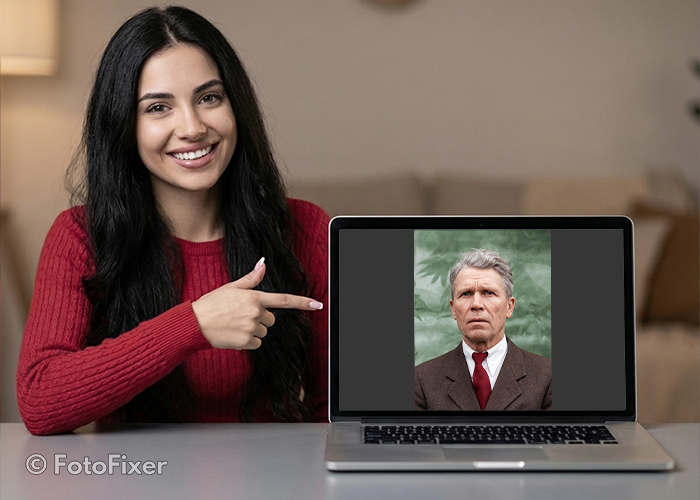
If you are happy with the results, you complete the payment (by credit card or by wire transfer) and receive the final high-resolution images via the agreed method (email or WhatsApp) as a download link.
Once you download the files and confirm receipt, FotoFixer will delete all your images from its archive within seven days of this confirmation (see Terms and Conditions).
IMPORTANT: Upon completion, FotoFixer may ask permission to include your restored photo(s) in our online portfolio or social media. If you don’t agree or do not respond, all images are permanently deleted after 7 days (maximum). So, rest assured: FotoFixer NEVER keeps or publishes any image without the client’s explicit consent!
Case Studies
Restoration and Colorization
Photo age: approx. 45 years
Original size: 8 cm x 11.5 cm
Difficulty: 8 out of 10
REASONABLE EXPECTATIONS: Achieving a clear B&W image
The image was 60% faded (quite a rare case)
The original shot was poorly lit from above
Recommended print size for the restored photo: 10 cm x 15 cm
Slide to see the before and after transformation.


Colorization
Age: approx. 40 years
Original size: 13 cm x 8 cm
Difficulty: 3 out of 10
REASONABLE EXPECTATIONS: Looking like a native color photo
Original was well preserved
Digitized via scanner
Recommended print size: 15 cm x 10 cm
Restoration Only
Photo age: approx. 35 years
Original size: 22 cm x 28 cm (framed portrait)
Difficulty: 9 out of 10
REASONABLE EXPECTATIONS: Saving as much as possible
Photo was moldy, torn, with smeared ink
Processing time: Several days
Final result: Can be printed at the original size: 22 cm x 28 cm

OBSERVATIONS:
This was a special reconstruction project, highly difficult due to high resolution.
Exceptionally, two external elements were used: the pom-poms.
Project completed for portfolio purposes. For a client, we would have suggested a 10x15cm print resolution, taking about one day.
THREE REASONS TO CHOOSE FOTOFIXER FOR
PROFESSIONAL PHOTO RESTORATION:
1. Honest Approach
Before starting any project, FotoFixer informs clients exactly what can be achieved to avoid misunderstandings.
2. Maximum Quality
No matter the damage, we strive to extract the best possible result from every photograph. Experience counts in professional restoration!
3. Natural Look
Our processed photos maintain a natural appearance, avoiding artificial textures, forced angles, or unrealistic color shifts.
FotoFixer Portfolio
If the images don’t convince you, nothing else will!